How to Get Your Rocket League Account Unbanned: A Guide to Appeals and PureVPN’s Role
 Arlo Quirico·Updated ·12 min
Introduction Yes, you can appeal a Rocket League ban and potentially get your account unbanned. In this guide, I’ll walk you through a clear, step-by-step process to appeal, what evidence to gather, and how VPNs—specifically PureVPN—can play a role in safeguarding your connection and privacy during the process. We’ll cover common ban reasons, what to include in your appeal, timing expectations, and practical tips to avoid future issues. If you’re short on time, here’s the quick path: identify ban reason, check if you’re eligible for appeal, gather evidence, submit the appeal with a calm, factual tone, and consider using a trusted VPN like PureVPN to protect your connection while you review your account activity. For quick access to tools and resources, see the list at the end of this introduction. Useful URLs and Resources text only: Apple Website - apple.com, Rocket League Support - support.rocketleague.com, PureVPN - purevpn.com, Reddit Rocket League ban threads - reddit.com/r/RocketLeague, Riot Games Support - support.riotgames.com
What this guide covers
- Why Rocket League bans happen and common types
- How to determine if your ban is appealable
- Step-by-step guide to submitting an appeal
- Evidence and messaging tips that increase your chances
- How VPNs can help with privacy and connection stability during appeals
- FAQ with practical answers to real-world scenarios
Section overview Globalconnect vpn not connecting heres how to fix it fast
- Ban basics: understanding terminology and timelines
- Preparation: gathering evidence and setting expectations
- The appeal process: what to write and where to submit
- After appeal: what happens next and how to respond
- VPNs and security: how PureVPN fits into the process
- Extra tips: best practices to avoid future bans
- FAQs: 10+ questions addressed
Ban basics: what you’re really facing When you get banned in Rocket League, it typically means one of several things:
- Temporary suspension: a time-limited ban, often for a violation that is not severe but requires a cooldown.
- Permanent ban: a long-term or permanent restriction due to repeated offenses or serious violations.
- Privacy or fairness concerns: in some rare cases, players experience account restrictions due to security flags or suspicious activity. Understanding the type of ban is crucial because it determines your eligibility for an appeal and the information you’ll need to provide.
Common reasons for bans include:
- Cheating or using unauthorized third-party software
- Toxic behavior or harassment in matches
- Exploiting bugs or game mechanics to gain unfair advantages
- Violating Code of Conduct or Terms of Service
Note: Appeals are not guaranteed to be successful. The process is about presenting a clear case, acknowledging the issue, and showing improvements or remediation.
Preparation: what to gather before you appeal Here’s a practical checklist to prepare a solid appeal:
- Game and account details
- In-game username and platform PC, PS, Xbox, Switch
- Region and any connected services Steam, Epic Games, PSN, Xbox Live
- Ban details
- Exact date and approximate time of the ban
- Ban type temporary, permanent and any stated reason
- Evidence
- Screenshots of chat or behavior that might be misinterpreted
- Logs or replays that show permissible play during the period
- Any correspondence from Rocket League or Riot Games Support
- Personal statement
- A concise, calm explanation of what happened
- Acknowledgment of any mistakes and steps you’ve taken to improve
- Plan for future behavior
- Commitments to fair play, respect, and community guidelines
- Any changes to your setup or behavior to prevent future issues
- Technical checks
- Ensure your account recovery options are up to date
- Confirm there are no known account compromises or security issues
The appeal process: step-by-step guide Step 1: Identify the correct channel Setting up intune per app vpn with globalprotect for secure remote access
- Rocket League support typically handles bans through Riot Games Support or dedicated Rocket League ban appeal forms. Start at the official support site: support.rocketleague.com or support.riotgames.com depending on your platform and region.
- If you’re unsure, you can submit via the general Riot Games Support portal and route it to the Rocket League team.
Step 2: Craft your appeal message
- Be clear and concise: state your intent to appeal the ban and your understanding of the rules.
- Take accountability: acknowledge any mistakes without over-apologizing or making excuses.
- Present evidence objectively: attach any logs, clips, or chat screenshots that support your case.
- Explain corrective actions: describe steps you’ve taken to avoid future violations.
- Avoid emotional language or threats; keep it respectful.
Step 3: Submit through the official form
- Fill out the appeal form with accurate information: account name, platform, region, and any required identifiers.
- Attach your evidence and the short personal statement.
- Note any case or ticket numbers you’ve received so far to help the reviewer.
Step 4: Await the response
- Response times vary; some players hear back within a few days, others may wait longer. Be patient and avoid spamming support with follow-up messages.
- If you receive a denial, look for any specific reasons given and consider an additional, more detailed appeal if allowed.
Step 5: If you’re granted a second chance
- Follow through on your commitments.
- Maintain a record of your behavior in-game and avoid flagged actions.
- If a ban is still upheld after credible appeals, respect the decision and consider learning from the experience.
Evidence and messaging tips that work How to use proton vpn free on microsoft edge browser extension for secure browsing and fast setup
- Be factual: stick to verifiable events, not assumptions or emotions.
- Focus on the positive: highlight what you will change and how you’ll improve your play style and communication.
- Include date and context: when the incident happened and why a ban seems unwarranted or too harsh for the behavior.
- Use clips or logs: short videos or chat logs that show compliance with rules can speak volumes.
- Keep it concise: reviewers read many appeals; a well-structured, 300–600 word message can be more effective than a long letter.
Sample appeal structure
- Introduction: brief statement of intent to appeal and account details.
- Incident recap: describe what happened in objective terms.
- Evidence: reference attached clips, chat logs, or other supporting materials.
- Accountability: acknowledge wrongdoing and steps you’ve taken to improve.
- Remedy: what you’re asking for reconsideration, temporary lift, or unban and why you deserve it.
- Closing: thank you for reviewing and your commitment to fair play.
VPNs and PureVPN: how they fit into this process Why use a VPN during the appeals process?
- Privacy protection: your browsing and support interactions stay private from third parties.
- Proof of location and routing: some players use VPNs to test multiple routes to Riot’s servers, ensuring that connectivity isn’t unfairly flagged due to regional routing issues note: this is informational and should always be used within the game’s terms of service.
- Security: a VPN helps protect your account recovery information and personal data when using public networks or shared devices.
PureVPN’s role
- Reliable uptime and multiple server locations: helps you securely test connections or review account activity from different regions if needed.
- Strong encryption and no-logs policies: adds a layer of privacy while you research and prepare your appeal.
- Easy setup across devices: whether you’re appealing on a PC, phone, or tablet, PureVPN can help you maintain a secure connection.
- Compatibility with common platforms: supports Windows, macOS, iOS, Android, and more.
Practical VPN tips for Rocket League appeals
- Use trusted networks: avoid public Wi-Fi when submitting sensitive support tickets; use a VPN on trusted networks if you must.
- Don’t manipulate your location for deception: never misrepresent your location to Riot Games; use VPNs responsibly for privacy and security purposes only.
- Test before submitting: if you’re trying VPN-based troubleshooting, run small tests to ensure your connection is stable before you attach evidence to an appeal.
Incorporating VPNs into your workflow Aws vpn wont connect your step by step troubleshooting guide: Fast Troubleshooting and Proven Fixes for Smooth VPN Access
- Before you start your appeal: run a few speed tests, ensure latency is reasonable, and capture performance data.
- While gathering evidence: use a VPN to protect your data while downloading clips or logs from your device.
- During follow-ups: if you need to re-open a ticket or add new information, your VPN helps keep your browsing secure.
Data and statistics you can reference
- Player ban statistics vary by season and region; Riot Games shares aggregated insights about enforcement in their public statements, but individual outcomes depend on case-by-case evaluations.
- A well-prepared appeal with documented evidence significantly improves the odds of a favorable outcome compared to a generic complaint.
- VPN usage for privacy and security remains common among gamers, with a notable portion of players using services like PureVPN to protect their data on public networks.
Format and readability: making your appeal easy to read
- Use bullet points for your key dates, evidence list, and steps you’ve taken.
- Break long paragraphs into shorter chunks.
- Bold important points to draw attention without overdoing it.
- Include sections and headers to guide the reviewer.
Common mistakes to avoid
- Don’t escalate emotions or blame the reviewer.
- Don’t present unverified accusations or irrelevant drama.
- Don’t submit incomplete evidence or missing account details.
- Don’t make up facts or alter logs; honesty is essential.
What to do after your appeal
- If your ban is lifted: celebrate, but stay within the rules and avoid risky behavior.
- If your appeal is denied: review the reasons, adjust your approach, and consider a second, more detailed appeal if allowed.
- If you suspect a security breach: change your password, enable two-factor authentication 2FA where available, and review linked devices.
Advanced tips for streamers and content creators Las mejores vpn gratis para android tv box en 2026 guia completa y alternativas
- If you’re building a YouTube video or guide around this topic, consider including a walkthrough of the appeal form with redacted data for privacy, a sample message, and a demonstration of setting up PureVPN to protect your data during the process.
- Share insights about community guidelines and how to interpret ban notices in a way that helps viewers learn from others’ experiences.
- Include a short FAQ segment addressing viewers’ common questions about Rocket League bans and appeals, plus how VPNs can help with privacy.
Useful resources and references text only
- Rocket League Support - support.rocketleague.com
- Riot Games Support - support.riotgames.com
- Reddit Rocket League ban discussions - reddit.com/r/RocketLeague
- PureVPN official site - purevpn.com
- YouTube Gamer Privacy guides - youtube.com
Frequently Asked Questions
How long do Rocket League ban appeals usually take?
Appeals can take anywhere from a few days to several weeks, depending on the case complexity and reviewer load. Be patient and avoid spamming support.
Can I appeal a permanent ban?
Yes, you can submit an appeal for many permanent bans, but success depends on the specifics of the violation and new information you provide. Provide clear evidence and a plan for future behavior.
What should I include in my appeal to improve my chances?
Include your account details, the exact ban reason, dates, any evidence clips, logs, a calm and accountable message, and a plan for staying within rules. Touch vpn for google chrome your free ticket to a more open internet
Does using a VPN invalidate my appeal?
Using a VPN for privacy during the process is not inherently against policy, but never misrepresent your location or use a VPN to manipulate the game’s anti-cheat systems. Always follow the game’s terms of service.
Can I appeal if I was banned for toxic behavior in chat?
Yes, but you should include a sincere apology, steps you’ve taken to curb toxic behavior, and a plan for better communication in future matches.
What if the ban was a mistake or a false positive?
Gather evidence showing you did not engage in the prohibited behavior, such as chat logs, match recordings, or other context, and present it clearly in your appeal.
Do I need to provide transaction or payment details in the appeal?
Typically, you should avoid sharing sensitive financial information in an appeal. Only provide account-related details as required by the support form and avoid exposing private data.
How can I improve my chances if I’ve been banned multiple times?
Acknowledge any past issues, demonstrate consistent behavioral changes, and show a documented history of compliance with game rules. A well-structured, evidence-backed appeal stands a better chance. The Ultimate Guide to Using Snapchat Web with a VPN
Is there a difference between appealing on PC versus console?
The core appeal process is similar, but you may need to reference platform-specific identifiers Steam IDs, PSN IDs, Xbox Live Gamertags and account connections. Ensure you provide platform-specific information in your appeal.
Can I use a VPN after my ban is lifted?
Yes, you can use a VPN for privacy and security, but continue to follow Riot Games’ and Rocket League’s rules to avoid future issues.
What should I do if I don’t hear back after a second appeal?
Send a polite follow-up with the new information or evidence you’ve gathered since the initial appeal. If there’s still no response, consider reaching out through official social channels or community support forums for guidance.
End of content
| VPN | Obfuscation | From / month | Plan | Free plan | Refund | Alipay | UnionPay | Crypto | Website opens in China | Trustpilot | |
|---|---|---|---|---|---|---|---|---|---|---|---|
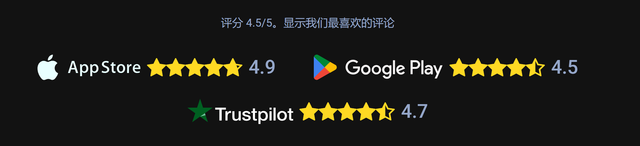
 PureVPN | Turn on manually switch to OpenVPN | $1.69/mo | 60 months: $101.55 | No | 31 days | ? | ? | ✗ | ✓ | ✗ Blocked | 4.4/5 (17,994 reviews) |
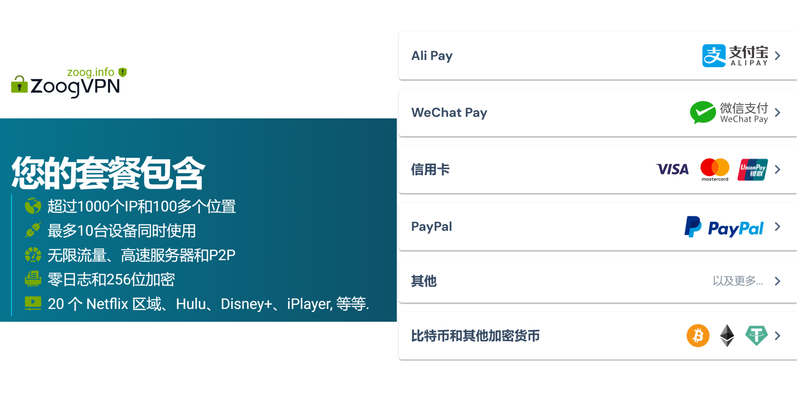
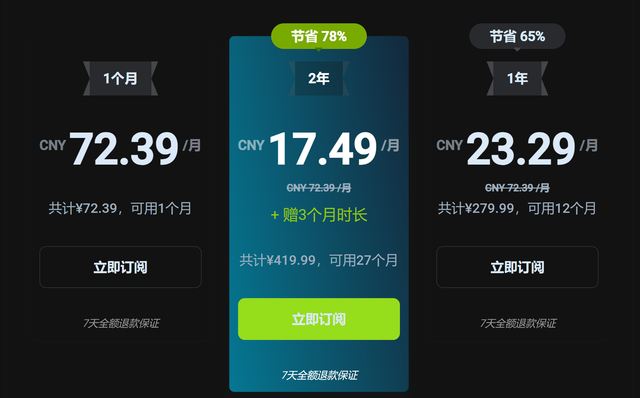
 ZoogVPN | Turn on manually Shadow | $2.49/mo | 27 months: $59.99 | Yes | 7 days | ✓ | ✓ | ✓ | ✓ | Official site blocked; our special link opens (4.4 s) | 4.2/5 (195 reviews) |
 NordVPN | Turn on manually Obfuscated Servers / NordWhisper | $3.49/mo | 27 months: $94.23 | No | 30 days | ? | ✗ | ✓ | ✓ | ✗ Blocked | 4.2/5 (51,628 reviews) |
 ExpressVPN | ✓ On by default all servers | $3.00/mo | 28 months: $84 | No | 30 days | ✗ | ✗ | ✓ | ✗ | ✗ Blocked | 4.4/5 (29,706 reviews) |
 Surfshark | ✓ On by default Camouflage, with OpenVPN | See site | See site | No | 30 days | ✗ | ✗ | ✗ | ✓ | ✗ Blocked | 4.3/5 (31,823 reviews) |
 Proton VPN | Turn on manually Stealth, free plan too | $2.99/mo | 12 months: $35.88 | Yes | 30 days | ✗ | ✗ | ✗ | ✓ | ✗ Blocked | 2.1/5 (1,040 reviews) |
 Astrill VPN | Turn on manually StealthVPN / OpenWeb | $12.50/mo | 24 months: $300 | No | See site | ✗ | ✗ | ✗ | ✓ | ✗ Blocked | 1.3/5 (110 reviews) |
 Private Internet Access | Turn on manually Shadowsocks, OpenVPN only | $2.03/mo | 40 months: $81.2 | No | 30 days | ✗ | ✗ | ✗ | ✗ | ✗ Blocked | 4.2/5 (11,033 reviews) |
 CyberGhost | Turn on manually selected servers | $2.19/mo | 28 months: $61.32 | No | 45 days | ✗ | ✗ | ✗ | ✓ | ✗ Blocked | 4.0/5 (24,178 reviews) |
 AdGuard VPN | ✓ On by default TrustTunnel | $2.99/mo | 24 months: $71.76 | Yes | 30 days | ✓ | ✗ | ✓ | ✓ | Official site blocked; our special link opens (3.7 s) | 4.3/5 (290 reviews) |
 Mullvad | Turn on manually QUIC / Shadowsocks / LWO | $5.61/mo | €5/mo | No | 14 days | ✗ | ✗ | ✗ | ✓ | ✗ Blocked | 3.2/5 (192 reviews) |
 Windscribe | Turn on manually Stealth / WStunnel | $5.75/mo | 12 months: $69 | Yes | See site | ✗ | ✗ | ✗ | ✓ | ✗ Blocked | 4.7/5 (13,355 reviews) |
 StrongVPN | Turn on manually Scramble, OpenVPN TCP | See site | See site | No | 30 days | ✓ | ✗ | ✗ | ✗ | ✗ Blocked | 4.4/5 (2,695 reviews) |
 LightXtreme 闪连 | Not listed | $7.08/mo | 12 months: $84.99 | Yes | 30 days | ✓ | ✓ | ✓ | ✓ | ✓ Yes (3.5 s) | No page |
Prices checked 2026-11-10 on each vendor's pricing page (cheapest long plan, USD). Check the vendor's checkout for the final price.
Obfuscation checked 2026-11-14 on each vendor's site and help center: "on by default" = nothing to set; "turn on manually" = switch protocol or mode in settings; "not listed" = the vendor describes no obfuscation.
Payment methods checked 2026-11-10 on each vendor's payment pages: all 14 take cards and PayPal; ✗ = not listed, ? = the vendor's own pages disagree.
China access: whether the official website opens from mainland China networks (tests the website only, not the VPN connection). Last checked 2026-11-18 01:02 Beijing time.
Trustpilot score and review count checked 2026-11-10.